

Chirp has 7 people and 20 posts from its seed, plus any posts you wrote.
Since the last checkpoint, two people can't share a handle, because handle has UNIQUE.
With 20 rows, every query Chirp sends comes back at once.
So what happens to Chirp's pages when posts holds half a million rows?
In this project you fill Chirp with practice users and posts.
Then you ask Postgres for its plan for the profile page, with EXPLAIN.
You'll find the search that reads every row, and give it an index.
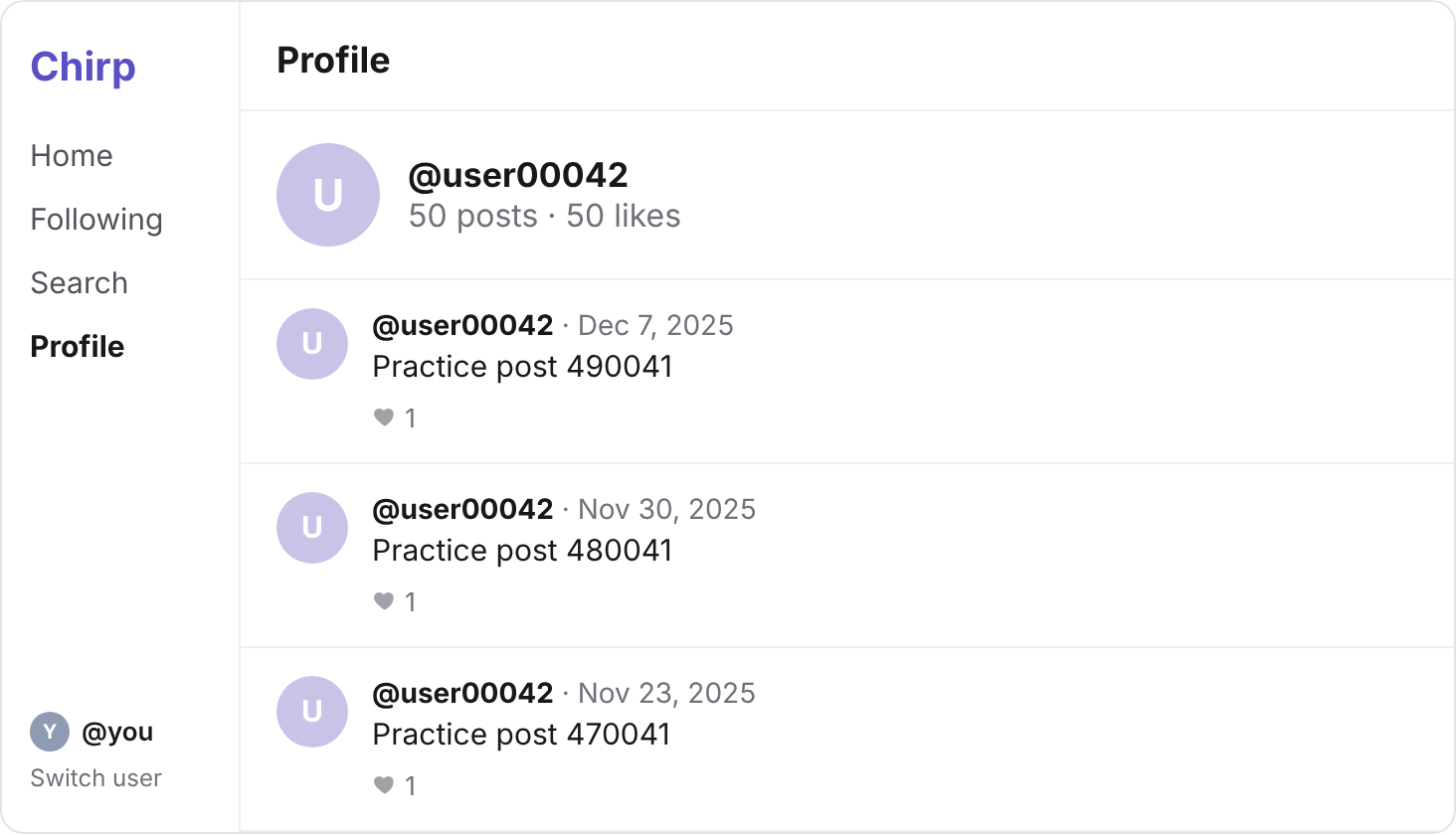
Chirp with 500,000 posts, and a profile page that goes straight to a person's posts with an index.
Open your Supabase project, simplified-practice, and press SQL Editor.
Paste this query, and press Run once.
INSERT INTO users (handle, name, created_at)
SELECT 'user' || lpad(n::text, 5, '0'), 'User ' || n, timestamp '2025-01-01' + n * interval '1 minute'
FROM generate_series(1, 10000) AS n;

INSERT INTO posts (user_id, body, likes, created_at)
SELECT users.id, 'Practice post ' || n, n % 10, timestamp '2025-01-01' + n * interval '1 minute'
FROM generate_series(1, 500000) AS n
JOIN users ON users.handle = 'user' || lpad((n % 10000 + 1)::text, 5, '0');
generate_series(1, 500000) hands back the numbers 1 to 500,000, one row each. No lesson in this course covers it.
So the first INSERT adds 10,000 people, user00001 to user10000.
The second adds 500,000 posts, shared out in turn, so each of them has 50.
Every practice post is dated in 2025, and has fewer than 10 likes.
So your newest posts stay at the top of the feed, and Trending stays the same.
It can take a few seconds to run.
Your turn 1
How many rows does posts hold now? Write the query, and run it.
500,020, and one more for each post you've written yourself.
SELECT COUNT(*) FROM posts;
You should see
At localhost:3000, the same feed and Trending as before, starting with Dee's 311 likes.
And localhost:3000/user00042 says 50 posts, with "Practice post 490041" at the top.
posts now takes about 46 MB of the free plan's 500 MB.
Reload localhost:3000, and look at the sidebar.
Most active groups every post by its author, and that's over 10,000 people now.
And Switch user lists every row of users: after ada to you, hundreds of practice people.
So how can each list ask Postgres for only the rows it shows?
Most active is meant for people posting this year, and every practice post is from 2025.
So a WHERE can drop those posts before Postgres groups the rest.
In Supabase's library, WHERE created_at >= '2026-01-01' is .gte("created_at", "2026-01-01").
Switch user only needs the newest few people: an ORDER BY and a LIMIT, as in your feed.
Your turn 1
Make getMostActive() count only the posts written since January 1, 2026.
Most active lists the same people as before, in any order, and no practice people:
| handle | posts |
|---|---|
| ada | 4 |
| ben | 4 |
| cy | 3 |
| dee | 4 |
| eli | 2 |
| fay | 3 |
You're in it too, if you've posted.
// SELECT users.handle, COUNT(*) FROM posts JOIN users ON users.id = posts.user_id
//   WHERE posts.created_at >= '2026-01-01' GROUP BY users.handle;
export async function getMostActive() {
  const { data, error } = await supabase
    .from("posts")
    .select("count(), users(handle)")
    .gte("created_at", "2026-01-01");
  if (error) throw new Error(error.message);
  return data;
}
Your turn 2
Make getUsers() return only the ten people who joined most recently, newest first.
Switch user lists ten people: you, fay, eli, dee, cy, ben and ada, then user10000, user09999 and user09998.
// SELECT id, handle FROM users ORDER BY created_at DESC LIMIT 10;
export async function getUsers() {
  const { data, error } = await supabase
    .from("users")
    .select("id, handle")
    .order("created_at", { ascending: false })
    .limit(10);
  if (error) throw new Error(error.message);
  return data;
}
You should see
A short Most active list with no practice people, and ten people in Switch user.
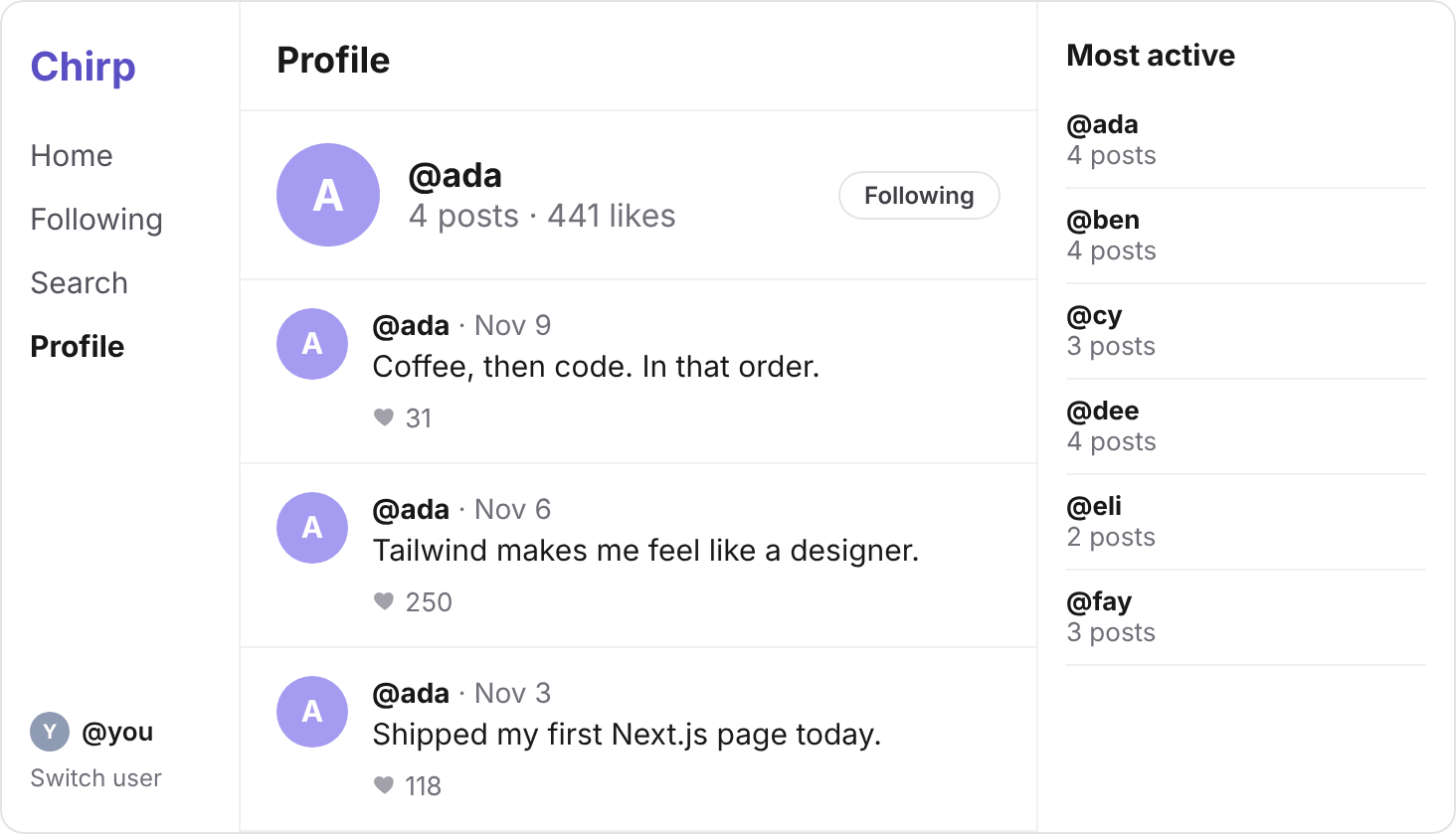
To show localhost:3000/ada, Chirp needs two searches.
First, Ada's row in users, found by her handle, ada.
Then her posts, found by her user_id, 1, newest first.
So does either one read all 500,020 posts?
Put EXPLAIN in front of each, in the SQL Editor. Postgres sends back its plan, and runs nothing.
Some lines of the plan end with numbers in brackets. You can skip those.
Your turn 1
Ask Postgres for its plan for finding Ada's row in users by her handle.
A table with one column, QUERY PLAN, and two rows:
Index Scan using users_handle_key on users
  Index Cond: (handle = 'ada'::text)
users_handle_key is the index UNIQUE built on handle, in the last checkpoint. (::text only names the value's type.)
EXPLAIN SELECT id FROM users WHERE handle = 'ada';
Your turn 2
Ask Postgres for its plan for Ada's posts: the posts whose user_id is 1, newest first.
A plan with no index in it:
Sort
  Sort Key: created_at DESC
  ->  Seq Scan on posts
        Filter: (user_id = 1)
The top two lines are your ORDER BY. Under them, a Seq Scan: Postgres would read every row of posts.
Your plan may start with Gather Merge, and say Parallel Seq Scan instead. That's a full scan split between helpers, still reading every row.
EXPLAIN SELECT id, body, likes, created_at
FROM posts
WHERE user_id = 1
ORDER BY created_at DESC;
You should see
An Index Scan for Ada's handle, and a Seq Scan on posts for her posts.
Why does one search get an index, and the other not?
handle has UNIQUE, and UNIQUE builds an index. user_id is a foreign key, and a foreign key builds none.
So to send back Ada's 4 posts, Postgres would read all 500,020.
Every profile page searches posts by user_id, so posts needs an index on it.
Write it in the SQL Editor, the way Simplified indexed attempts' user ID.
Your turn 1
Give posts an index on user_id, and run it.
Success. No rows returned under the editor.
CREATE INDEX ON posts (user_id);
Your turn 2
Ask Postgres again for its plan for Ada's posts, newest first.
No Seq Scan this time:
Sort
  Sort Key: created_at DESC
  ->  Bitmap Heap Scan on posts
        Recheck Cond: (user_id = 1)
        ->  Bitmap Index Scan on posts_user_id_idx
              Index Cond: (user_id = 1)
The bottom line names your new index, posts_user_id_idx, and Index Cond is what Postgres looks up there.
Postgres calls this kind of index scan Bitmap. It finds Ada's entries in the index first.
Then the line above, Bitmap Heap Scan, reads only the rows of posts those entries point to.
EXPLAIN SELECT id, body, likes, created_at
FROM posts
WHERE user_id = 1
ORDER BY created_at DESC;
You should see
A plan that names posts_user_id_idx, and no Seq Scan.
localhost:3000/ada still shows her 4 posts, and localhost:3000/user00042 its 50.
The index takes about 3.5 MB more, and every new post now writes an entry in it too.
Commit your changes, and push them to GitHub.
git add -A
git commit -m "Practice data, a short sidebar and an index on posts"
git push
The index and the practice rows live in your database, not in your repository.
You should see
Your commit on GitHub, with the new getMostActive() and getUsers() in lib/data.ts.
Supabase says your project is paused
Free projects pause after a week with no activity. Press Restore project on its page, and wait a few minutes.
The generator stops with a timeout, or ran only partly
Count the rows in users and in posts. If only users grew by 10,000, run only the second INSERT; if neither did, run both.
An error that names users_handle_key when you run the generator
The practice users are already there, and UNIQUE refuses them twice. Run only the second INSERT, if posts doesn't have its 500,000 yet.
COUNT says 1,000,020, not 500,020
The second INSERT ran twice. Run DELETE FROM posts WHERE body LIKE 'Practice post %';, then run the second INSERT once.
The plan still says Seq Scan after the index
Check that CREATE INDEX said Success. No rows returned, in this project, and that it names posts and user_id.
Most active is empty
Run its SQL in the SQL Editor. If the rows are right there, the bug is in your code: check the date and the column, created_at.
Tick every step once you've seen what it says you should see. Then mark the project complete to unlock the next lesson.