

Chirp's feed, profiles and search all read your posts table.
But every one of its 20 posts went in from the SQL Editor.
And the compose box on Chirp's home page doesn't save anything yet.
So how does an app put new rows in, change them and take them out?
Each is one write you can already write in SQL: an INSERT, an UPDATE or a DELETE.
Supabase's library has a method for each part of them:
| SQL you know | Supabase's library |
|---|---|
INSERT INTO posts (handle, body) VALUES ('you', 'Hi') | .from("posts").insert({ handle: "you", body: "Hi" }) |
RETURNING id | .select("id") |
UPDATE posts SET body = 'Hi' | .from("posts").update({ body: "Hi" }) |
DELETE FROM posts | .from("posts").delete() |
WHERE id = 21 | .eq("id", 21) |
An object's keys are the columns, and its values are the VALUES, so their order no longer matters.
Chirp's compose box writes real posts, and you can edit and delete your own.
Every post card links to a page of its own, like localhost:3000/post/20.
The number is the post's id, so the reads must send it back.
In lib/data.ts, put id first in the columns of getPosts(), getPostsBy(), searchPosts() and getTrending().
.select("id, handle, body, likes, created_at")
getTrending() selects no created_at, so its columns are "id, handle, body, likes".
The post page calls getPost(id), which still returns sample data. In SQL, it is this query.
SELECT id, handle, body, likes, created_at
FROM posts
WHERE id = 20;
The id is the primary key, so one row passes at most. Replace getPost(id) with this.
export async function getPost(id: number) {
  const { data, error } = await supabase
    .from("posts")
    .select("id, handle, body, likes, created_at")
    .eq("id", id)
    .maybeSingle();
  if (error) throw new Error(error.message);
  return data;
}
.maybeSingle() hands back the one row as an object, or null when no row passes.
The page shows Post not found for null. Its comments are still sample data, until a later checkpoint.
You should see
Clicking Dee's "Deployed. It works on more than my machine." opens localhost:3000/post/20, with 142 likes. localhost:3000/post/99 says Post not found.
Type something in the compose box on the home page, and press Post.
You land on Post not found, because createPost(body) saves nothing and returns a made-up id, 999.
So how does the app learn the id Postgres picks for the new post?
The same way Simplified's server learns a new learner's id: RETURNING.
INSERT INTO posts (handle, body)
VALUES ('you', 'My first real post.')
RETURNING id;
Replace createPost(body) in lib/data.ts with this.
import { getMe } from "./session";

export async function createPost(body: string) {
  const me = await getMe();
  const { data, error } = await supabase
    .from("posts")
    .insert({ handle: me.handle, body })
    .select("id")
    .single();
  if (error) throw new Error(error.message);
  return data.id;
}
getMe() says who is signed in. Chirp has no log-in yet, so it's always you.
The insert names only handle and body. Postgres generates the id, and likes and created_at get their DEFAULTs.
.select("id") is your RETURNING, and .single() hands back its one row as an object.
The compose box then opens the page for that id.
Write My first real post., and press Post.
You should see
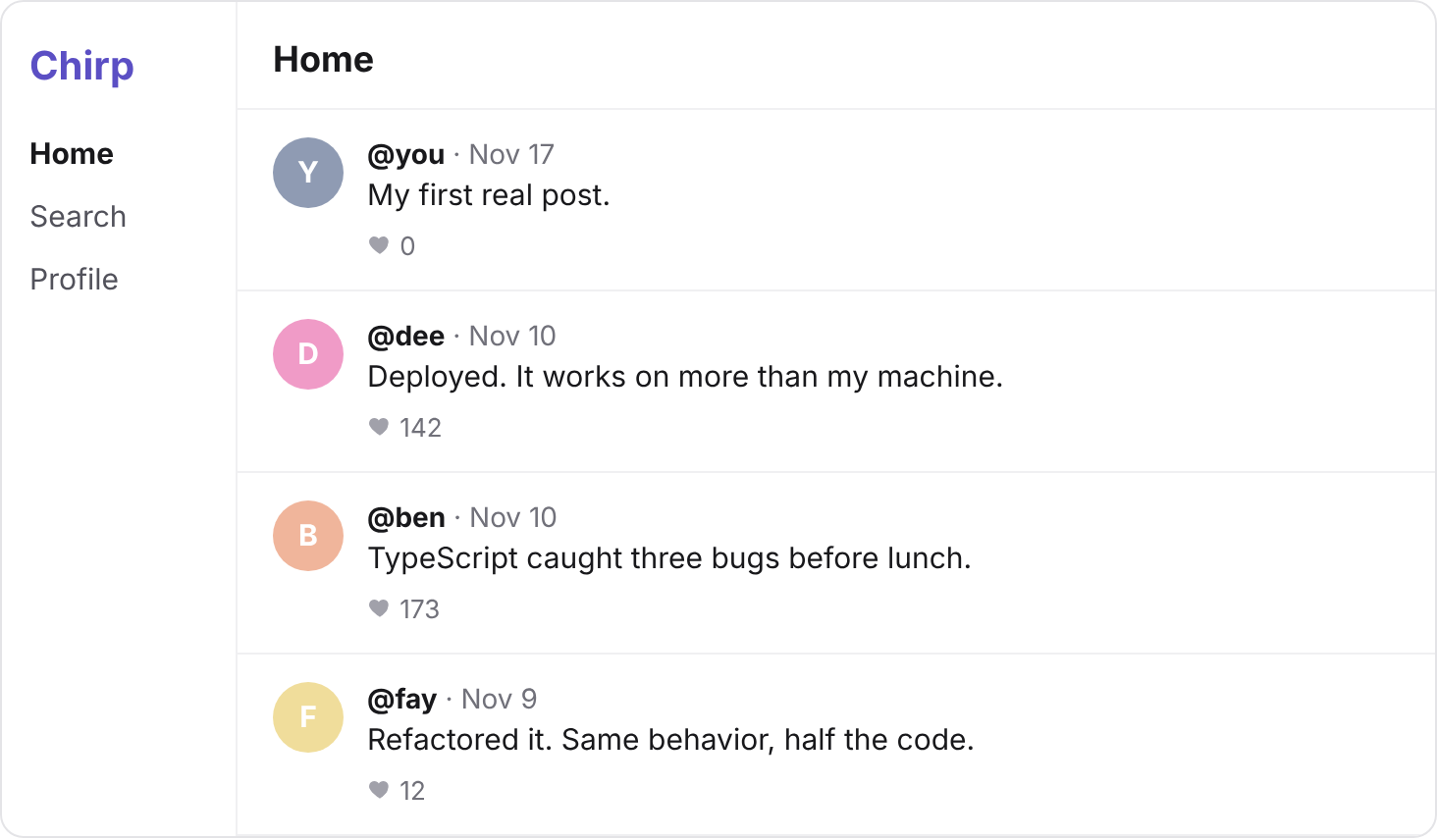
You land on localhost:3000/post/21: your post, by you, with 0 likes.
It's also first on the home page. Your id is higher if your table ever held more than 20 posts.
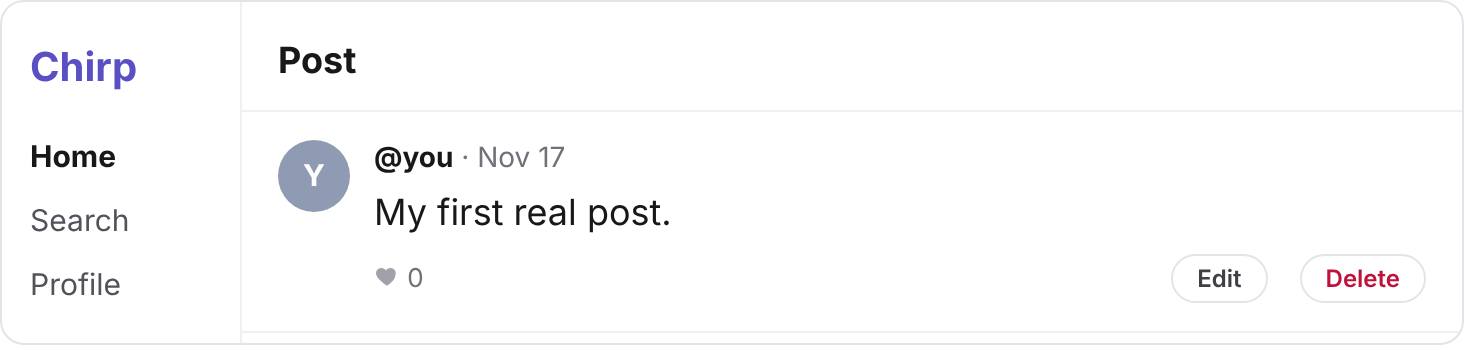
Your post's page shows Edit and Delete, because you wrote it. Dee's post shows neither.
Edit opens a form, and its Save calls editPost(id, body), which still changes nothing.
Your turn 1
Make editPost(id, body) change the body of the post with that id, and only that post.
Change your post to My first real post, edited., and press Save.
The new words show on its page and on the feed, and Dee's post 20 is unchanged.
// UPDATE posts SET body = 'My first real post, edited.' WHERE id = 21;
export async function editPost(id: number, body: string) {
  const { error } = await supabase
    .from("posts")
    .update({ body })
    .eq("id", id);
  if (error) throw new Error(error.message);
}
You should see
Your post says My first real post, edited., and every other post kept its own words.
Delete calls deletePost(id), then takes you back to the home page.
Your turn 1
Make deletePost(id) remove the post with that id, and only that post.
Pressing Delete on your post takes you to the home page, with Dee's "Deployed. It works on more than my machine." first again. localhost:3000/post/21 says Post not found.
// DELETE FROM posts WHERE id = 21;
export async function deletePost(id: number) {
  const { error } = await supabase
    .from("posts")
    .delete()
    .eq("id", id);
  if (error) throw new Error(error.message);
}
You should see
Your post is gone. Write another one, Second try., and it lands on localhost:3000/post/22, not 21, because Postgres never hands out the same id twice.
In editPost(), put // in front of the .eq("id", id) line, and save.
Now the UPDATE has no WHERE, so every row in posts would pass.
Open your post Second try., press Edit, change a word, and press Save.
Why didn't all 21 posts change?
Because Supabase sets Postgres to refuse an UPDATE or a DELETE with no WHERE, from your app.
So Postgres refused the whole query, and nothing changed.
The SQL Editor doesn't refuse. It warns you first, but if you go on, Postgres changes every row.
Take the // out again, and save.
You should see
First an error that says UPDATE requires a WHERE clause, with every post as it was. Then your edit saves again.
After every write, Postgres reports how many rows it touched, like UPDATE 1.
The library sends that number back too, if you ask for it:
| SQL you know | Supabase's library |
|---|---|
UPDATE 1 | .update({ body }, { count: "exact" }), then read count |
DELETE 1 | .delete({ count: "exact" }), then read count |
Your turn 1
Make editPost() and deletePost() print a line in your terminal like Postgres's report, and return the number of rows they touched.
Saving an edit prints UPDATE 1. Open your post in two tabs, and press Delete in each: the terminal prints DELETE 1, then DELETE 0.
// UPDATE posts SET body = 'Second try, edited.' WHERE id = 22;
export async function editPost(id: number, body: string) {
  const { count, error } = await supabase
    .from("posts")
    .update({ body }, { count: "exact" })
    .eq("id", id);
  if (error) throw new Error(error.message);
  console.log(`UPDATE ${count}`);
  return count ?? 0;
}

// DELETE FROM posts WHERE id = 22;
export async function deletePost(id: number) {
  const { count, error } = await supabase
    .from("posts")
    .delete({ count: "exact" })
    .eq("id", id);
  if (error) throw new Error(error.message);
  console.log(`DELETE ${count}`);
  return count ?? 0;
}
You should see
DELETE 1, then DELETE 0, and no error: the second DELETE worked, and no row passed its WHERE.

Commit your changes, and push them to GitHub.
git add -A
git commit -m "Write, edit and delete posts"
git push
You should see
Your commit on GitHub, with the new lib/data.ts in it.
Post cards link to localhost:3000/post/undefined
That read doesn't send back the id. Add id to its .select(…).
localhost:3000/post/99 shows an error, not Post not found
getPost() ends with .single(), which treats no row as an error. Use .maybeSingle(), which gives null instead.
createPost() returns undefined
The insert has no .select("id"), so nothing comes back. Add it, then .single().
Every post now says the same thing
An UPDATE with no WHERE went through. In the SQL Editor, run DELETE FROM posts;, then checkpoint 1's INSERT again, and put .eq("id", id) back.
The count is always null
Pass { count: "exact" } to .update(…) or .delete(). Without it, the library doesn't ask Postgres for the number.
Supabase says your project is paused
Free projects pause after a week with no activity. Press Restore project on its page, and wait a few minutes.
Something is wrong, and you can't tell where
Run the SQL from the solution's first line in the SQL Editor. If its rows are right there, the bug is in your code.
Tick every step once you've seen what it says you should see. Then mark the project complete to unlock the next lesson.